iPhone beta · Central Building, Craiova

Any room.
First try.

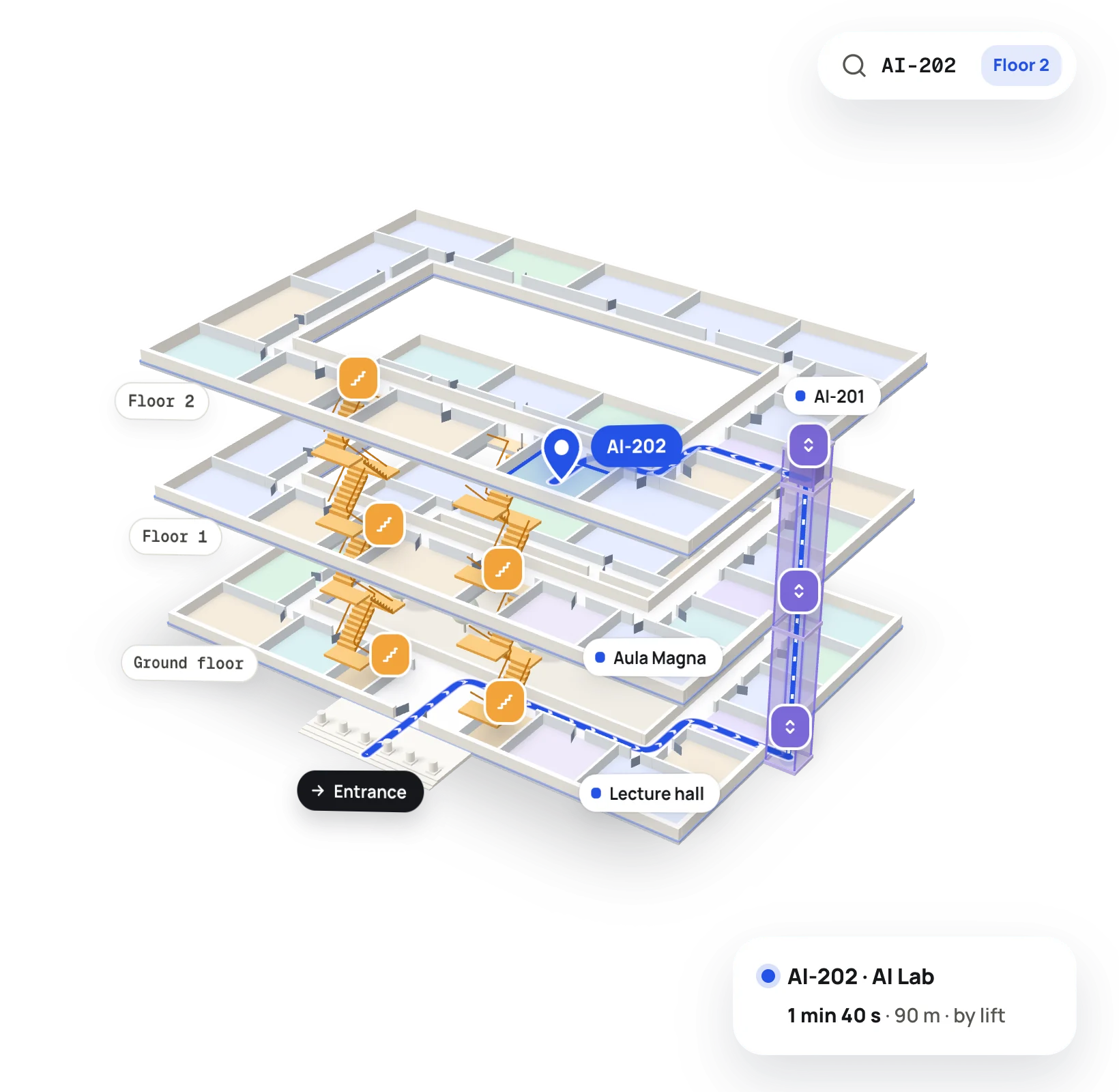
UniMap guides you through your university’s buildings, floor by floor, in 2D or 3D. And it brings your faculty’s announcements together in one place.

Three things. Done well.

No buried menus. Open the app, search, go.

01

Search anything

Classrooms, offices, restrooms, the canteen. Results show up on the map, right on their floor.

02

Follow the route

Step by step, along real corridors and stairs. When you change floors, the map comes with you.

03

Know what changed

Faculty announcements for your year of study. If a class moves, you’ll find the new room on the map in seconds.

How it works

Two taps to your route.

Pick where you are and where you’re going. The route draws itself along the corridor, takes the right staircase and carries on upstairs.

  1. 1 · Choose
    Main entranceGround floor
    AI-202 · AI LabFloor 2
  2. 2 · Follow 12 m Take staircase B up to Floor 2
  3. 3 · Arrive AI-202 · AI Lab 24 seats · projector · wheelchair access

For universities

Your floor plans become a map.

Upload each floor plan. The editor suggests the rooms and doors, you confirm them, then publish. Students only ever see the verified version.

  1. 01Upload the plan as a PDF or image.
  2. 02Confirm the suggested rooms and doors.
  3. 03Connect stairs and lifts between floors.
  4. 04Publish. Announcements reach students’ phones.

Quick answers.

Is there an Android version?
iPhone only, for now. [to be confirmed: Android plans]
Which buildings are on the map?
During the beta, the Central Building in Craiova. Every new building appears straight in the app.
How much does it cost?
[to be confirmed]
Does it track my location inside the building?
No. If you allow it, your location only centres the map and finds nearby buildings. Indoors, the route goes step by step.
How do I join the beta?
Leave your email below. When a spot opens up, you’ll get an invitation through TestFlight, Apple’s app for beta versions.
We’re a university. How do we start?
Write to us from the institutions page and we’ll set up a pilot for one of your buildings together.

Join the beta.

We’ll email you a TestFlight invitation. We won’t subscribe you to anything else.

Your details go to the UniMap team only. We won’t add you to a newsletter.